The procedure of test.IO and its use
 We have now reached the most critical part of the QA phase. At this point in the website development process, the client has blessed everything on the site, and they are not expecting to make any more changes. Additionally, all internal Globe Runner departments (development, account management, etc.) are happy with everything on the site at this point.
Test.IO is a great way to catch all errors and to get the site looking and functioning the way we want it to before the site goes live. We are allowed to do 2 large, custom tests per month. Additionally, we are allowed to do 2 smaller, minor tests per month. All of this can be found in the contract we have with test.IO.
What does test.IO do exactly?
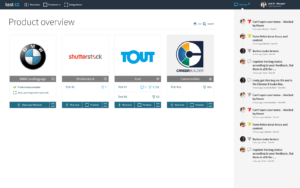
test.IO’s greatest strength is that it tests many different things across a website. It is a crowd based platform, meaning people that want to make extra money from home sign up to become testers.
Therefore, we are technically the company that employs these people. The pool of testers is roughly 1,000 people. All of these testers have one job, and that job is doing their best to try to break the site and find errors.
Who can access this tool?
If you are able to schedule and perform tests inside of test.IO, you have been granted permission by Globe Runner. At the time of writing of this tutorial (March 15, 2018), Daniel Edwards and Katy Hurley are the only ones who may authorize these tests. If you would like to be on the test.IO team, you will need to consult Daniel or Katy in order to get a username added.
Can you walk me through the procedure step by step?
Let’s now login to test.IO. As soon as you’re in there, you should immediately see a few preexisting tests in there. Our first step will be to go ahead and add the company to this list (also known as your client). In order to begin a new test, click on “Add product”. You will then give the new company a name. For this tutorial, let’s use Firearms Legal.
You will then select what industry they are in. Industry is not really relevant to us at Globe Runner but it’s relevant to test.IO because it might adjust the pool of people they have that test our site. Let’s go ahead and put “other” for industry. For “product type”, 9 times out of 10 you are going to select “website”. And website is the type of test we are performing for purposes of this tutorial.
Once you get the website added, you can create a new test. We have the ability to run rapid tests, custom tests, and other test types for our clients. For your information, coverage tests and custom tests are considered the expensive, big tests by test.IO. Those are the ones that we only have the ability to run 2 of a month. Every test after that costs us roughly $900.
Rapid tests, focus tests, and usability tests are the smaller tests. We can run 2 more of those a month in addition to our big tests. An additional small one will run us roughly $150. 9 times out of 10 we’re using a coverage test or a custom test here at Globe Runner. Basically, these tests are telling the testers to “Go out there and test the website and tell me what’s not working well at all.”
There’s not a lot of differences between coverage tests and custom tests other than the scope of pre-defined definitions that come up. More or less, they are the same thing.
Final steps
At this point, we are going to add a website URL in place. 9 times out of 10 you will send your testers to the staging area because there is a bunch of traffic on the live site. Language is an option here and it will almost always be English. There is an option for German in there because test.IO is a German company.
Once you have everything typed in there, click on the “Next” option. Here is where you will decide the scope of the test. Inside of test.IO, we call Muenster Milling an eCommerce client. This is important because when it has that information it tries to predefine the scope for you.
What this turns into is it offering you landing page testing, navigation, footer, wishlist, and more. In most cases, we just check them all off. And then, we expect to get a bug report back. These usually have in the range of 200-300 bugs found. Once we get that report back, we will submit the bugs to our overseas team and they will get to work on correcting them. Once you have all of the sections put into place, fill in the blanks using your best educated assumptions.
Click “Next” until you get to select the timing field. They are based in Germany so they won’t technically start running stuff until a day later. Once you have entered everything and clicked “Finalize”, touch base with our assigned project manager. Her name is Susan Yee just to make sure that everything is filed away properly.